
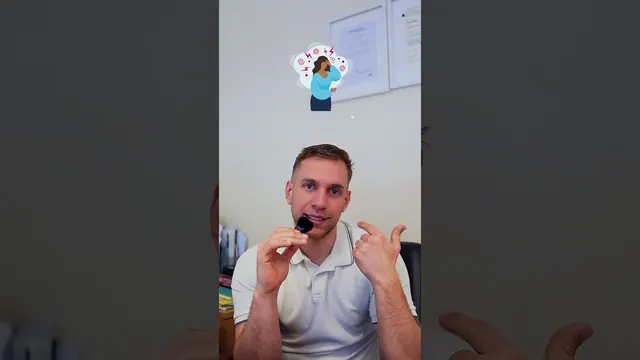
A short video can make a technical service easier to understand when it answers one customer question in plain language and uses visuals that show what the explanation means. It should give a viewer a useful next step without pretending that a complex assessment can always be reduced to one universal answer.
VentSolve is an Irish ventilation and mould removal business whose work can involve technical language. The partnership with NextVision has included promotional videos, customer education, internal training, photography, CRM work and automation. Each part serves a different audience. The VentSolve case study describes the public work and the wider relationship without suggesting that a single video did everything.
Decide who the video is for
“Explain the service” is too broad for a short edit. A homeowner trying to understand a problem needs a different answer from an existing customer preparing for a visit. A team member learning an internal process needs different material again.
Write the audience at the top of the brief. Then note what they may already know, what they are unsure about and what they should be able to do after watching. That final point might be modest: recognise a warning sign, understand the next step, or know which details to share when asking for help.
Promotional content can invite a customer to get in touch. Educational material should explain its subject carefully. Training content can be longer and more specific. Blending those aims into one video often produces an edit that is neither a clear advert nor a useful lesson.
Choose one question and answer it plainly
Start with customer conversations, not industry vocabulary. If people ask what a visit involves, what a piece of equipment does, or what information helps assess a problem, those questions can form a practical content list.
Next, ask the expert to answer the chosen question as if speaking to one customer. Keep a technical term when it is necessary, but explain it when it first appears. Replace vague claims with a visible step or a specific piece of context. If the answer depends on a person’s home, equipment or circumstances, say so rather than promising the same outcome for everyone.
The guide to turning customer questions into videos shows how to develop those prompts. A broader short-form production brief can then set the number of edits, formats and filming time.
Use visuals to clarify, not decorate
Supporting footage should help the viewer follow the explanation. A relevant room, tool, process or diagram can make an abstract point easier to picture. Captions can reinforce a key phrase, while a simple label can name a part or step.
Every visual still needs to be accurate. Do not show a generic clip that suggests a process the company does not use. If you film a customer’s home, obtain permission and avoid exposing private details. A close view of equipment may be useful, but only if it is the correct equipment and the context is clear.
VentSolve’s promotional work is one example of the difference between a short introduction and a fuller explanation. The public video examples in the case study can be viewed separately from the private training materials. For related still images, see commercial photography in Dublin.
Turn one topic into a sensible series
One useful answer can lead to a small sequence: what the service does, what a customer can expect, which questions to prepare and how to request help. Each edit should stand on its own, with a clear start and finish. Together, they can make a website page or social profile more helpful.
The sequence needs an organised production plan. The monthly social content service is designed for recurring filming and edits. A detailed service explanation may belong on the corporate video production page or directly on a service page with relevant diagrams and FAQs.
Connect the video to what happens next
If the video generates enquiries, someone needs to know where those messages go. A simple follow-up process can record the source, the service requested and the next action. VentSolve’s CRM and automation work addressed this operational layer alongside content creation. The CRM and lead automation service explains how to map the process before configuring tools.
Advertising also needs its own plan. A video created for an organic post can be adapted for paid use, but the campaign requires an audience, budget and measurement approach. See Google and Meta Ads management for the separate campaign scope and the Perfect Clean advertising project for a different example of service video prepared for paid creative.
What makes a technical video easy to understand?
Use a clear sequence: name the situation, explain one idea, show the relevant step and say what the viewer can do next. Define a technical term the first time it appears. If a specialist word is important to accuracy, keep it and explain it rather than replacing it with a vague phrase. Captions can help people follow the key point with the sound off, while a simple on-screen label can identify a part or stage.
Avoid opening with a company history or a list of qualifications when the viewer came to understand a particular problem. A direct opening might identify the question: what a visit involves, why a step is taken, or what information helps an expert assess a situation. The answer should arrive early, with supporting context after it. That structure also makes the page text and headings easier for search engines and answer systems to interpret.
How do you keep an explanation accurate?
Ask the subject expert to review the facts and boundaries before recording. Confirm which statements apply in every case and which depend on the customer’s property, equipment or circumstances. Avoid guaranteed outcomes unless the business can substantiate them. When a process, regulation or safety instruction changes, check the final wording with the person responsible before publishing.
Use real examples carefully. An anonymised situation may help explain a process, but it must not imply that every customer will have the same result. Do not show a different tool, room or method simply because it looks better on camera. Relevant footage should clarify what the company does, not stage a misleading version of it.
VentSolve’s work illustrates why one subject can need several formats: public promotion, customer education and internal training serve different audiences. The VentSolve case study gives the project context. Internal training needs its own access, detail and review plan; a public social edit should not be treated as a substitute for a detailed procedure.
What footage helps explain a technical service?
Choose footage that answers “what am I looking at?” A room, device, material, person carrying out a step or simple diagram can make an unfamiliar idea concrete. If the sequence has stages, use a real order and label each stage consistently. If a close-up is hard to understand, pair it with a wider view that shows where the detail fits.
Get permission before showing a customer’s home, face, documents or identifying details. Keep screens and personal information out of frame. Where a diagram is clearer than filming, use one with accurate labels. The producer and business should agree which images are representative and which details must remain private.
Photography can provide useful stills for a service page, team introduction or campaign. The commercial photography service can be briefed alongside video when the schedule and deliverables allow. For recurring explanations, monthly social content production can group related topics into a production plan. A longer, more detailed explanation may suit corporate video production or the relevant videography service page.
How can one technical topic become a small video series?
Do not split a long explanation into arbitrary parts. Build a sequence around the questions a customer asks in order. For example: what the service is, what signs prompt a closer look, what happens during an assessment and how to prepare. Each video should still make sense when watched alone, with a short sentence of context where needed.
Keep a topic sheet with the audience, question, approved answer, visual and next step for each piece. A useful source for topics is the questions the team hears before, during and after service. The customer-question guide explains how to turn those conversations into video topics. A short-form production brief can then define formats and delivery, while the business video planning guide covers larger projects.
When one topic needs more detail than a short edit allows, publish a page that explains it and use the video as a clear introduction. Connect that page to relevant service information rather than expecting a social post to do every job. The short-form versus long-form guide can help select the format, and the content day versus business film guide compares production approaches.
Where do advertising and follow-up fit?
An educational video can also support paid promotion, but the intended use should be agreed before production. An advert needs an audience, an offer or useful reason to respond, an appropriate landing page and a way to assess enquiries. Organic content, video creative and campaign management are related tasks with separate deliverables. NextVision’s Google and Meta Ads service covers campaign work; the Perfect Clean advertising case study is an example of a customer-focused video made for advertising creative.
If viewers contact the business, the next step is operational. A team should know who responds, what information to record and how to follow up. The CRM and lead automation service explains how that process can be planned. For scope and pricing questions, see the Dublin videographer price guide, corporate video cost guide and monthly video package guide.
Frequently asked questions
How long should a technical service video be?
Long enough to answer its one main question accurately. A simple answer may fit a short social edit; a process with several conditions may need a longer page, a series or a training resource.
Should every technical term be removed?
No. Keep terms that help the viewer understand the service, and define them in familiar language the first time they appear.
Can a short video replace a service page or training guide?
Usually it should introduce or clarify a subject, not replace detailed instructions, qualifications or safety guidance. Link it to the full information the viewer needs.
Start with the customer, their question, the expert-approved answer and the visual that makes it clearer. Send those details through the NextVision contact page to decide whether a short sequence, a service video or a longer business film is right.